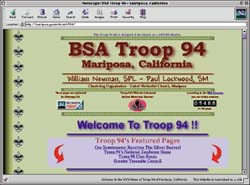
Troop 94's home page is their site's "front door." A table of contents leads to more information.
By Mark Goodin
Troop 94's home page is their site's "front door." A table of contents leads to more information. |
Troop 94 of Mariposa, Calif., is located just outside of Yosemite National Park, a seemingly perfect spot for Scouting. But the wilderness setting lacks contact with the "outside" world of Scouting, so the troop decided to create a home page on the Internet's World Wide Web.
Assistant Scoutmaster Mike Montoya, who works for Iron Mountain Systems, Mariposa's local Internet service provider, established the troop's Web site. And since 1996, thousands of Scouting enthusiasts have visited the site.
Like Troop 94, any Scout unit, district, or council can have its own Web site up and running in a matter of hours--for free. A Web site provides a way for the local community to learn about a Scout troop, Cub Scout pack, or Venturing crew. It also allows units to share achievements and experiences with other Scouts and Scouters around the world.
Troop 94's site has enabled it to become an active participant in the world brotherhood of Scouting, says assistant Scoutmaster Montoya.
"With the Internet, we're not isolated anymore," he said. "Now, Troop 94 is known all over [the globe]. We had a troop leader from New South Wales in Australia ask about the Klondike derby we listed on our 'Upcoming Events' page, and a Scouter in British Columbia in Canada saw our Web site and wanted to trade 'programme' information."
 Store-bought software, such as Adobe PageMill, Microsoft FrontPage 98, and HoTMetaL Pro 4.0, can simplify Web site construction. |
At one time, the only way to create a Web page was to be proficient in HTML (HyperText Markup Language) programming. But that is no longer necessary, says Mike Montoya. A variety of easy-to-use software now available means that "ignorance of HTML is no longer an excuse for not having your own Web page," he adds.
You can download free Web design software from the Internet, or you can buy more elaborate programs to do the job.
Top commercial software programs include Adobe PageMill 3.0, Microsoft FrontPage 98, and HoTMetaL Pro 4.0 by SoftQuad.
Your Web site files will be stored on the access provider's computer, which is always hooked into the Internet and allows 24-hour access to your site.
Most ISPs offer subscribers free space for a Web site.
Some of your Scout families may already be online and agree to let the troop use their unused space for a site.
"Don't put a lot of graphics on your home page," Montoya advises. "People can get impatient waiting for the images to load on their computer screen and decide to leave."
Troop 94's home page contents includes the troop's history, membership roster, schedule of events such as a merit badge class and a camporee, and links to other Scouting sites, such as a local council service center and the BSA national office.
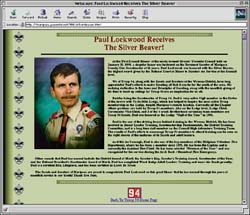 A Web site can be used to publicize, recognize, and congratulate outstanding accomplishments in your unit. |
Follow your software's instructions for placing links in your home page contents and then create the separate pages for visitors to jump to. (Some editors may have you create the Web pages before you insert the links in your home page.)
Be sure to place a "Back to home page" link at the bottom of each of your site's pages so that visitors can easily return to the site's table of contents.
The following tips will help keep your site fresh and encourage repeat visits.
You may also receive feedback from visitors that point out typographical errors or inaccuracies.
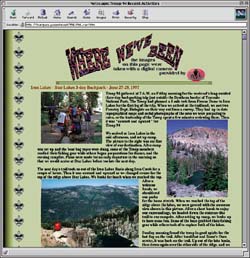 A Web journal encourages the writing and photography talents of your Scouts. Let the world know where you`ve been and what you`ve done on recent outings. |
Mark Goodin is a reporter and photographer for the Mariposa (Calif.) Gazette and Miner.
Sites for Free Software and HelpThe following sites offer resources for Internet software:
|
|
|
|
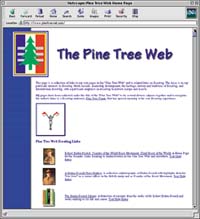
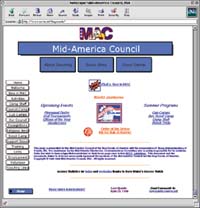
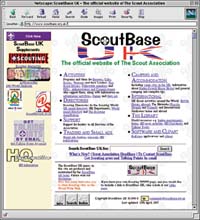
Some Quality Scouting Web SitesHere's a sampling of a few outstanding unit and council sites on the World Wide Web: The Gaelic Wolf Scouting Pages--an artistic, dynamic, professional-looking site. (http://www.gaelwolf.com/gaelwolf/index.htm) Daniel Webster Council in New Hampshire--complete council site, well maintained, frequently updated. (http://www.dwcbsa.org) Troop 24, Berkeley, Calif.--large site, even includes links to area weather reports and road conditions. (http:// www.emf.net/~troop24/t24.html) Pine Tree Web Pages--covers leadership development, the history and traditions of Scouting and International Scouting. (http://www.pinetreeweb.com) Cub Scout Pack 950--(http://members.aol.com/pack950/html/) Mid-America Council--(http://www. novia.net/boyscouts) Orange County Council--(http:// ocbsa.org/ocbsa/) Cascade Pacific Council--(http://www.cpcbsa.org/) NetCommish--(http://members.aol.com/netcommish/) Scout Base UK--This is the official site of the British Scout Association and displays an extensive, well-maintained list of Scouting sites around the world. (http://www. scoutbase.org.uk/) |
| The Boy Scouts of America |  |
http://www.scouting.org |